Understanding the Importance of App Performance and Monitoring Tools
In today’s fast-paced digital world, app performance is paramount to user satisfaction and business success. Slow loading times, crashes, and bugs can lead to frustrated users and lost revenue. Effective monitoring tools are essential for identifying and resolving these issues before they impact your bottom line. But with so many options available, how do you choose the right one for your needs?
Mobile apps are now a primary way that customers interact with businesses. According to a 2025 Statista report, mobile apps account for over 70% of all online traffic. Ensuring your app delivers a smooth and efficient experience is no longer optional—it’s a necessity. A powerful app performance monitoring solution allows you to proactively identify bottlenecks, optimize code, and deliver exceptional user experiences.
Key Features to Look for in App Performance Monitoring Software
When evaluating app performance monitoring tools, consider these key features:
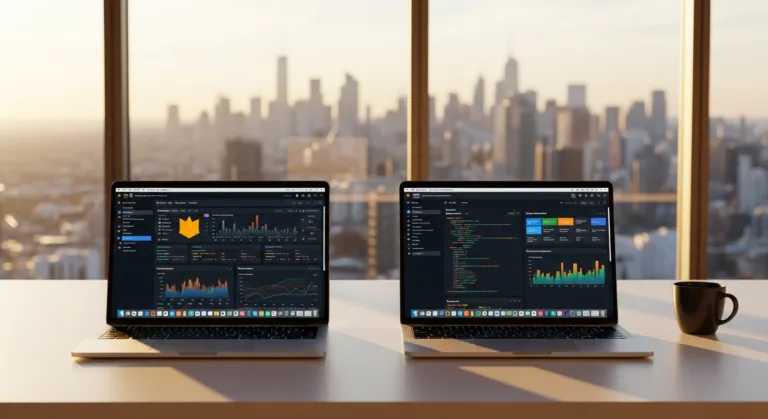
- Real-time Monitoring: The ability to track app performance in real-time is crucial. Look for tools that provide dashboards showing key metrics like crash rates, error counts, API response times, and resource utilization. Real-time data allows you to quickly identify and address emerging issues before they escalate.
- Crash Reporting: Comprehensive crash reporting is essential for identifying and fixing bugs. The best tools provide detailed crash reports with stack traces, device information, and user context, making it easier to pinpoint the root cause of crashes.
- Performance Metrics: Monitor key performance indicators (KPIs) such as app launch time, screen loading time, network latency, and memory usage. These metrics provide insights into the overall performance of your app and help you identify areas for optimization.
- User Experience Monitoring: Understand how users are interacting with your app and identify any pain points. Look for tools that offer user session recordings, heatmaps, and user feedback mechanisms.
- Error Tracking and Debugging: Efficient debugging is critical for resolving issues quickly. Choose tools that provide detailed error logs, stack traces, and debugging tools to help you identify and fix errors.
- Alerting and Notifications: Configure alerts to be notified when performance issues arise. Look for tools that offer customizable alerts based on specific metrics and thresholds. This allows you to proactively address issues before they impact a large number of users.
- Integration with Development Tools: Seamless integration with your existing development tools, such as IDEs, CI/CD pipelines, and issue trackers, can streamline the debugging process and improve team collaboration.
- Security Monitoring: Security should be a top priority. Ensure the monitoring tools you choose offer features like vulnerability scanning, intrusion detection, and data encryption to protect your app and user data.
A 2025 study by Forrester found that companies that prioritize app performance monitoring experience a 20% reduction in downtime and a 15% increase in user engagement.
A Head-to-Head Comparison of Leading App Performance Tools
Let’s examine some of the top app performance monitoring tools available today, comparing their features, pricing, and strengths:
- Datadog: Datadog offers comprehensive monitoring and analytics for applications, infrastructure, and logs. Its features include real-time dashboards, anomaly detection, and integration with various cloud platforms. Datadog’s pricing is based on usage, making it suitable for businesses of all sizes.
- New Relic: New Relic provides a suite of tools for monitoring the performance of web and mobile applications. Its features include real-time performance monitoring, error tracking, and user experience monitoring. New Relic offers a free tier with limited features, as well as paid plans with advanced capabilities.
- Sentry: Sentry specializes in error tracking and performance monitoring for web and mobile applications. Its features include detailed error reports, stack traces, and user context. Sentry offers a free plan for small teams and paid plans for larger organizations.
- Firebase Performance Monitoring: Firebase Performance Monitoring is a free tool provided by Google for monitoring the performance of Firebase-powered apps. It provides insights into app startup time, network requests, and screen rendering time.
- AppDynamics: AppDynamics offers a comprehensive application performance management (APM) solution. Its features include real-time performance monitoring, transaction tracing, and root cause analysis. AppDynamics is a more enterprise-focused solution and typically has a higher price point.
| Feature | Datadog | New Relic | Sentry | Firebase | AppDynamics |
|———————-|————–|————–|————–|————-|————–|
| Real-time Monitoring | Yes | Yes | Yes | Yes | Yes |
| Crash Reporting | Yes | Yes | Yes | Yes | Yes |
| Error Tracking | Yes | Yes | Yes | Limited | Yes |
| User Experience | Yes | Yes | No | No | Yes |
| Pricing | Usage-based | Tiered | Tiered | Free | Enterprise |
Choosing the right tool depends on your specific needs and budget. If you need a comprehensive solution with advanced features, Datadog or AppDynamics might be a good choice. If you’re looking for a more affordable option, New Relic or Sentry could be a better fit. Firebase Performance Monitoring is a great option for Firebase-powered apps, especially if you’re on a tight budget.
Strategies for Effective Performance Optimization
Once you’ve chosen an app performance monitoring tools, it’s essential to use it effectively to optimize performance. Here are some strategies to consider:
- Identify Bottlenecks: Use your monitoring tool to identify the areas of your app that are causing performance issues. Look for slow API calls, inefficient database queries, and memory leaks.
- Optimize Code: Once you’ve identified the bottlenecks, optimize your code to improve performance. This might involve rewriting inefficient code, using more efficient data structures, or caching frequently accessed data.
- Reduce Network Requests: Minimize the number of network requests your app makes. Combine multiple requests into a single request, compress data before sending it over the network, and use caching to reduce the need for network requests.
- Optimize Images and Assets: Optimize images and other assets to reduce their file size. Use image compression tools to reduce the size of images without sacrificing quality. Consider using vector graphics instead of raster images for icons and other UI elements.
- Use Asynchronous Operations: Perform long-running operations asynchronously to avoid blocking the main thread. This will prevent your app from becoming unresponsive while these operations are running.
- Monitor Third-Party Libraries: Third-party libraries can sometimes introduce performance issues. Monitor the performance of your third-party libraries and consider replacing them if they are causing problems.
- Regular Testing: Conduct regular testing to identify and fix performance issues early in the development cycle. Use automated testing tools to run performance tests on a regular basis.
- Continuous Improvement: Performance optimization is an ongoing process. Continuously monitor your app’s performance and make adjustments as needed.
_According to a 2026 Google study, 53% of mobile users will abandon a site if it takes longer than three seconds to load._
The Role of Testing in App Performance Monitoring
Testing plays a critical role in ensuring optimal app performance. Here’s how you can integrate testing into your performance monitoring strategy:
- Unit Tests: Write unit tests to verify the performance of individual components of your app. Unit tests can help you identify performance issues early in the development cycle.
- Integration Tests: Use integration tests to verify the performance of your app when different components are integrated. Integration tests can help you identify performance issues that arise from interactions between different components.
- Performance Tests: Conduct performance tests to measure the performance of your app under different load conditions. Performance tests can help you identify bottlenecks and areas for optimization.
- Load Tests: Simulate a large number of users accessing your app simultaneously to test its ability to handle peak loads. Load tests can help you identify scalability issues and ensure that your app can handle the expected traffic.
- Stress Tests: Push your app to its limits to identify its breaking point. Stress tests can help you identify vulnerabilities and ensure that your app can handle unexpected surges in traffic.
- A/B Testing: Use A/B testing to compare the performance of different versions of your app. A/B testing can help you identify the most effective optimizations and improve overall performance.
Utilizing a combination of these testing methods will provide a comprehensive view of your app’s performance and ensure a smooth user experience. Many modern app performance monitoring solutions also offer integrated testing features, streamlining the process.
Future Trends in App Performance Monitoring
The field of app performance monitoring tools is constantly evolving. Here are some future trends to watch out for:
- AI-powered Monitoring: Artificial intelligence (AI) is being used to automate many aspects of performance monitoring, such as anomaly detection and root cause analysis. AI-powered tools can automatically identify performance issues and provide insights into their causes.
- Predictive Analytics: Predictive analytics is being used to forecast future performance issues. By analyzing historical data, predictive analytics tools can identify potential problems before they occur, allowing you to take proactive measures to prevent them.
- Serverless Monitoring: As serverless computing becomes more popular, new tools are emerging to monitor the performance of serverless applications. These tools provide insights into the performance of individual functions and help you identify bottlenecks in your serverless architecture.
- Edge Computing Monitoring: With the rise of edge computing, new tools are needed to monitor the performance of applications running on edge devices. These tools provide insights into the performance of applications in distributed environments and help you optimize performance for edge devices.
- Enhanced Security Integration: Expect tighter integration between performance monitoring and security tools. This will allow for faster detection and response to security threats that impact performance.
- Privacy-Focused Monitoring: As data privacy regulations become stricter, monitoring tools will need to provide more privacy-focused features, such as data anonymization and consent management.
By staying informed about these trends, you can ensure that you’re using the latest and most effective tools for monitoring your app’s performance.
In conclusion, selecting the right app performance monitoring solution is a critical decision that can significantly impact your app’s success. By understanding the key features, comparing available tools, and implementing effective performance optimization strategies, you can ensure your app delivers a seamless and engaging user experience. Remember to continuously monitor and test your app to identify and address performance issues proactively. The best tool is one that aligns with your specific needs, budget, and technical expertise.
What is app performance monitoring?
App performance monitoring is the process of tracking and analyzing the performance of a mobile application. This includes monitoring key metrics such as app launch time, crash rates, network latency, and resource utilization to identify and resolve performance issues.
Why is app performance monitoring important?
App performance monitoring is crucial for ensuring a positive user experience. Slow loading times, crashes, and bugs can lead to frustrated users and lost revenue. By monitoring app performance, you can proactively identify and resolve issues before they impact your users.
What are the key features to look for in an app performance monitoring tool?
Key features to look for include real-time monitoring, crash reporting, performance metrics, user experience monitoring, error tracking and debugging, alerting and notifications, integration with development tools, and security monitoring.
What are some popular app performance monitoring tools?
Some popular app performance monitoring tools include Datadog, New Relic, Sentry, Firebase Performance Monitoring, and AppDynamics. Each tool offers different features and pricing models, so it’s important to choose one that fits your specific needs.
How can I improve my app’s performance?
To improve your app’s performance, identify bottlenecks, optimize code, reduce network requests, optimize images and assets, use asynchronous operations, monitor third-party libraries, conduct regular testing, and continuously monitor your app’s performance.